Adding your calculator to a Weebly website
Have you built an interactive web calculator and want to integrate it into your Weebly website? It's really easy! All you have to do is copy your calculator’s code snippet and paste it in a specific place of your Weebly website. Follow the instructions below to do this.
And if you don't have a custom interactive calculator yet, learn how to create your first interactive calculator by following our step-by-step tutorial.
Step 1 | Retrieve your calculator’s code snippet:
- Login to your CALCONIC account.
- Click My Calculators.
- Choose the calculator you want to embed to your Weebly website.
- Make sure that the calculator is activated. If it isn’t, click the Inactive label to activate it.
- Click the Embed calculator button.

- (Optional) Click the Whitelist Your Website and + New Website button and add your website address to whitelist it. Note, website address whitelisting doesn't work with iFrame embedding.

- Click on Embed calculator and copy your calculator’s code snippet.
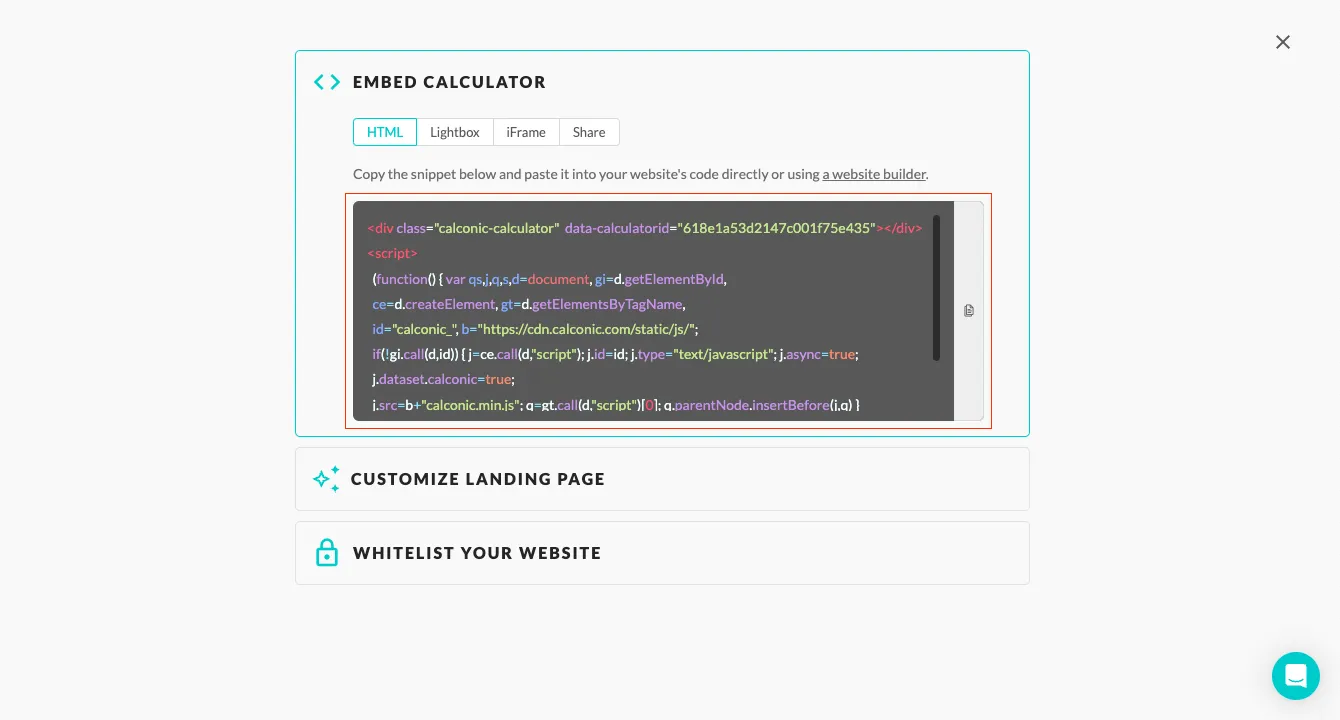
Step 2 | Embed the snippet code to your website:
- Login to your Weebly account and choose the website you want to embed your calculator.
- Click the Edit Site button or the Manage Store button for e-commerce websites.
- Click Build.
- Drag the Embed code element from the left-side menu to the place of your website where you want to have your custom calulator embeded.

- Click the new block.
- Click the Edit Custom HTML button.
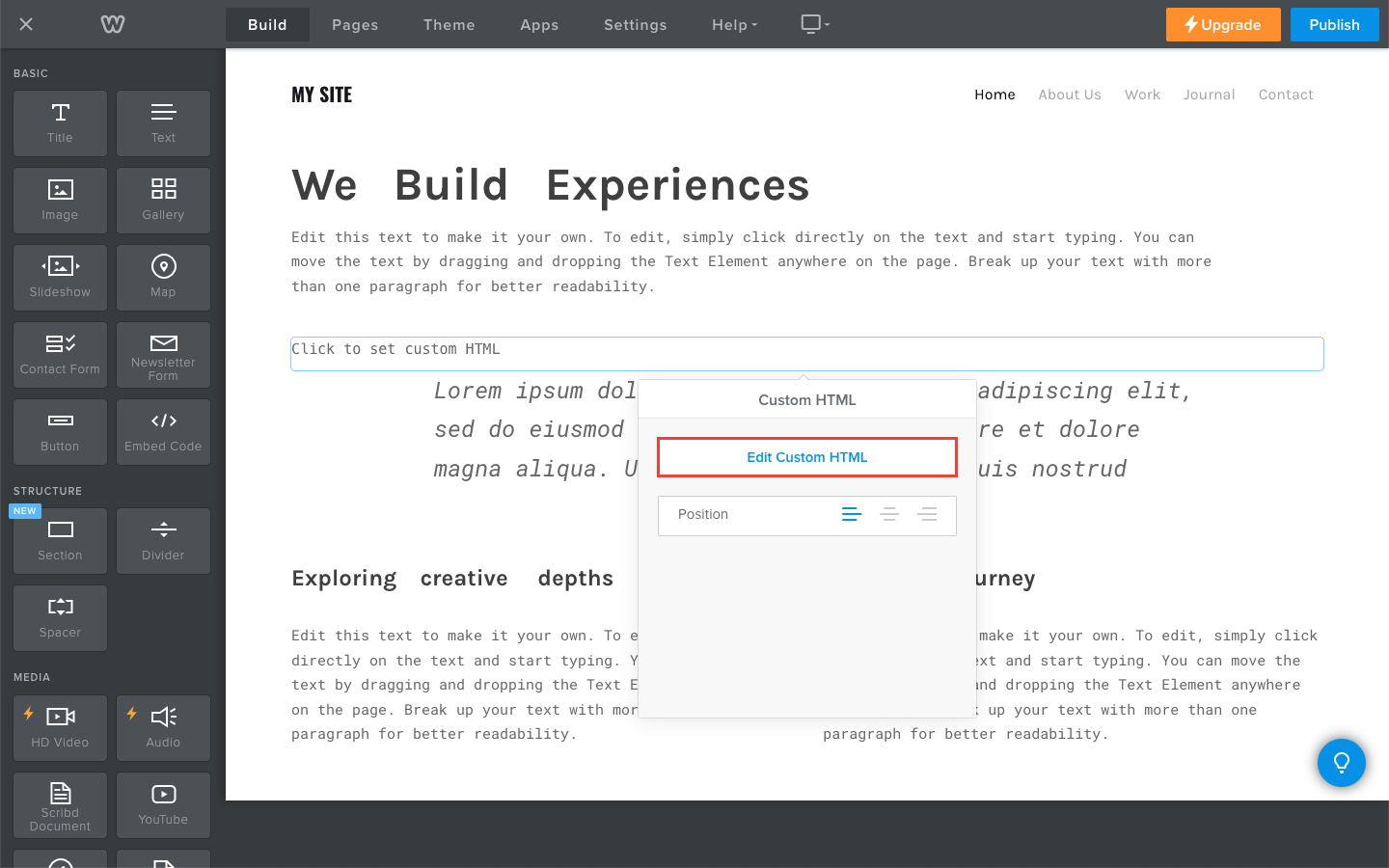
- Paste your code snippet.

- Click the Publish button.
Frequently Asked Questions
What is a Weebly calculator?
A Weebly calculator is an interactive tool that helps website visitors perform personalized calculations, such as price, quantity estimations, ROI, or discounts, directly on a Weebly website.
Can I use a custom calculator on multiple pages of my Weebly site?
Yes, you can embed the same calculator widget for Weebly on multiple pages by copying and pasting the same embed code wherever needed.
Can I add a calculator to Weebly without installing a plugin?
Yes! With Calconic, you don’t need to install any Weebly plugins. Calconic is a SaaS platform that works independently. Simply create your custom calculator on Calconic, copy the embed code, and paste it into your Weebly website using the Embed Code element. This keeps your Weebly site fast and clutter-free.
Can I add a Weebly calculator for free?
Yes, Calconic offers a free version that lets you build and embed calculators with essential features. Upgrading unlocks premium features like advanced customization and more complex calculations.