Embed the Calconic app in your Shopify theme
Shopify is changing how apps load in your store. To keep your Calconic calculators working, you need to enable the Calconic app embed in your current Shopify theme. This only takes a few clicks.
1. Enable Calconic in your theme
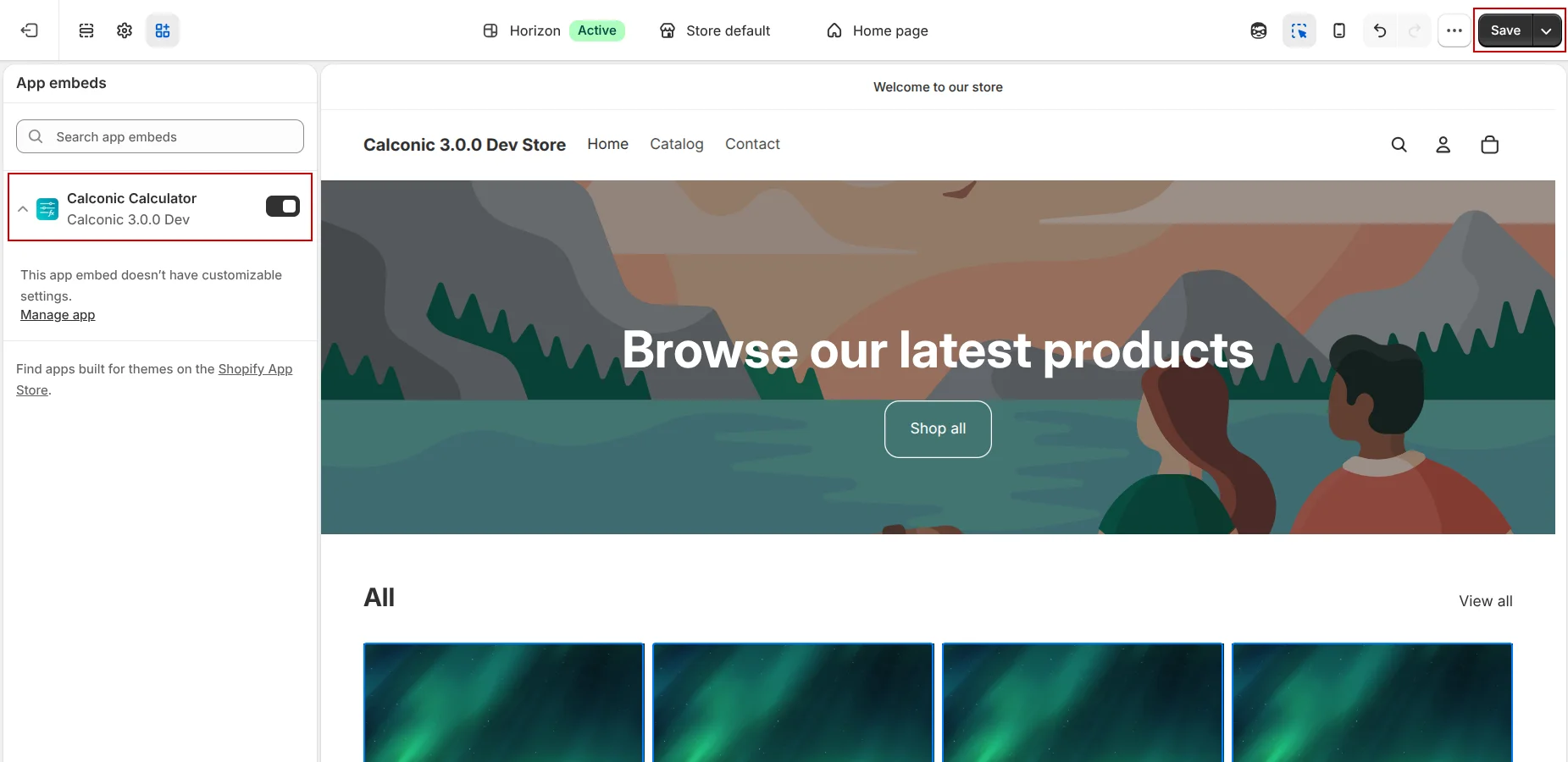
In Calconic App, select Enable. This opens your Shopify theme settings.
In Shopify, enable the Calconic app embed and save your changes. By default app shold be enabled, you just need to clcik save button on the uper right corner.
2. Check your storefront
Return to Calconic App on Shopify Admin and select Check. This will open your storefront page in a new tab. Make sure your calculator is still visible and working as expected.
3. Wait for validation
After you return to Calconic, we will validate that everything has been installed successfully. Please wait while the check is completed.
If the setup is completed
You will see a confirmation that Calconic is enabled and your calculator is ready to use on your storefront. Select OK to close the window.
If we cannot confirm the setup
If Calconic cannot confirm that the app embed is active, make sure it is enabled and saved in your current Shopify theme. Then select Try Again. If you still need help, contact Calconic support.