Shopify Collections
Adding customized products to the cart with Dynamic Pricing enabled
-
When Calconic is connected to Shopify Checkout, adding a customized item to the cart automatically creates a new product variation.
-
Shopify allows up to 100 variations per product. Once this limit is reached, a new product (a copy of the original) is automatically created, allowing you to continue generating additional variations there.
-
To ensure this new product is not visible on the storefront, certain steps need to be performed manually.
Important: Every 14 days, the variations created for the product are automatically deleted by Shopify.
Smart Collection troubleshooting
-
When the limit of 100 product variations is reached, a newly created product may automatically appear in Shopify Smart Type collections.
-
To prevent Calconic-generated products from appearing in those collections, certain actions need to be performed manually:
-
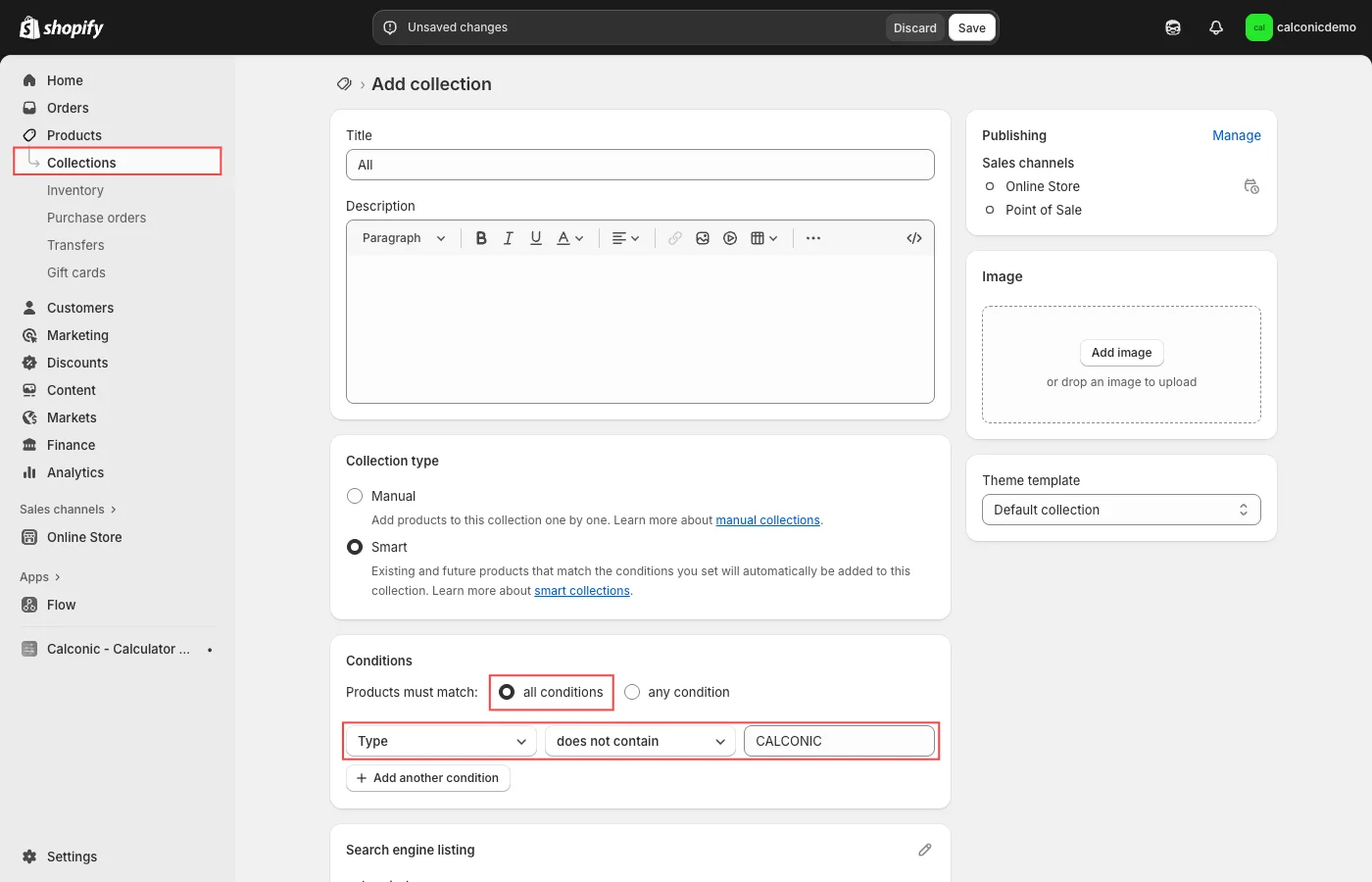
Identify all Smart Type collections in your Shopify store.
-
In those collections, add the condition rule: Product type does not contain CALCONIC.
-
Enforce the parameter Products must match: all conditions (this parameter is mandatory).
-
"All" collection troubleshooting
-
In Shopify, the “All” collection is a special virtual collection that automatically includes all products in your store. This “All” collection is created by Shopify and is not visible in the backend collection list, nor can it be customized.
-
When Calconic creates new products — for example, after reaching 100 product variations — these products may appear in the virtual “All” collection and become visible on the storefront.
-
To prevent Calconic-generated products from appearing in this virtual collection, a real Smart-type “All” collection needs to be created manually, overriding the virtual “All” collection. This new collection should include a single rule: Product type does not contain CALCONIC.